FileOnChat
Accounting & CA firms
Managing dozens of client accounts at once.
FILEONCHAT TELEGRAM BUSINESS ASSISTANT
Stop jumping between Google Drive, spreadsheets, and folders. Connect once, then find any file, client, or GST record without leaving Telegram.
My Drive
3:35 PMClient Records / Yatinj
GST_Return_July_2026.pdf
Annual budget.xlsx
IT_Return_AY2026.pdf
Blockers Sheet
ABOUT FILEONCHAT
FileOnChat is a Telegram-based assistant that gives your team access to approved Google Drive files, client records, GST details, and IT documents - searchable and downloadable, straight from a chat window.
No more re-opening Drive, Sheets, or your billing tool just to answer "where's that file?"
POWERFUL FEATURES
Quick, secure sign-in, no passwords shared
Navigate folders right inside chat
Check file size, type, and last update
GST and IT records, organized and ready
Search by name, ID, or phone number
No more app-hopping
The exact sequence captured in the screens above - nothing skipped, nothing hidden.
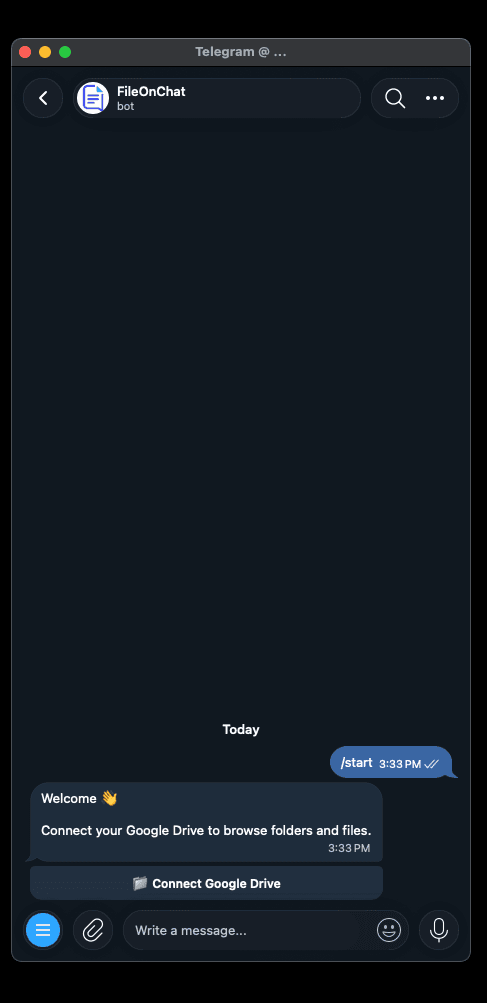
Open FileOnChat and send /start to get going.
Authorize access through Google's own OAuth screen.
Choose the exact file or folder you want the bot to open.
Find files and clients by typing a name, ID, or number.
Add or link client records, GST, and IT details.
Every file and record, one chat away, going forward.
-EVERYTHING, ONE THREAD
Everything you need to find, verify, and access business information - rendered the way it actually shows up in Telegram.
ITEM
WHAT IT GIVES YOU
ACCESS
Google Drive Access
Approved files & folders
Connect once, browse anytime
Client / User Records
Name, ID, mobile number
Organized by client folder
GST Details
GSTIN & filing documents
Pulled on request
IT Details
Income-tax filings, per client
Kept alongside GST records
Search Without the Scroll
Type a name, ID, or number
Full profile back in seconds
File Downloads
PDFs, reports, spreadsheets
Preview, then save
If your day involves client folders and filing deadlines, this is for you.
Managing dozens of client accounts at once.
Tracking shared documents and client records.
Document workspace
GST_Return_July.pdf
1.7 MB · Google Drive
Client_Ledger_FY26.xlsx
Shared records
Handling GST and IT filings for many clients.
That wants faster file access without app-switching.
Google OAuth
Credentials
Every request
File access
Every login goes through Google's official authorization flow - FileOnChat never sees or stores your password.
Sensitive information like GST and IT credentials stays encrypted and masked by default, visible only when you choose to reveal it.
Each file request is re-verified against the background access list, every single time - whether it's one file or a thousand client records.
Access your Google Drive files and business information without leaving Telegram. Secure, fast, and built for teams.